Documentation
Workflow overview
TL;DR
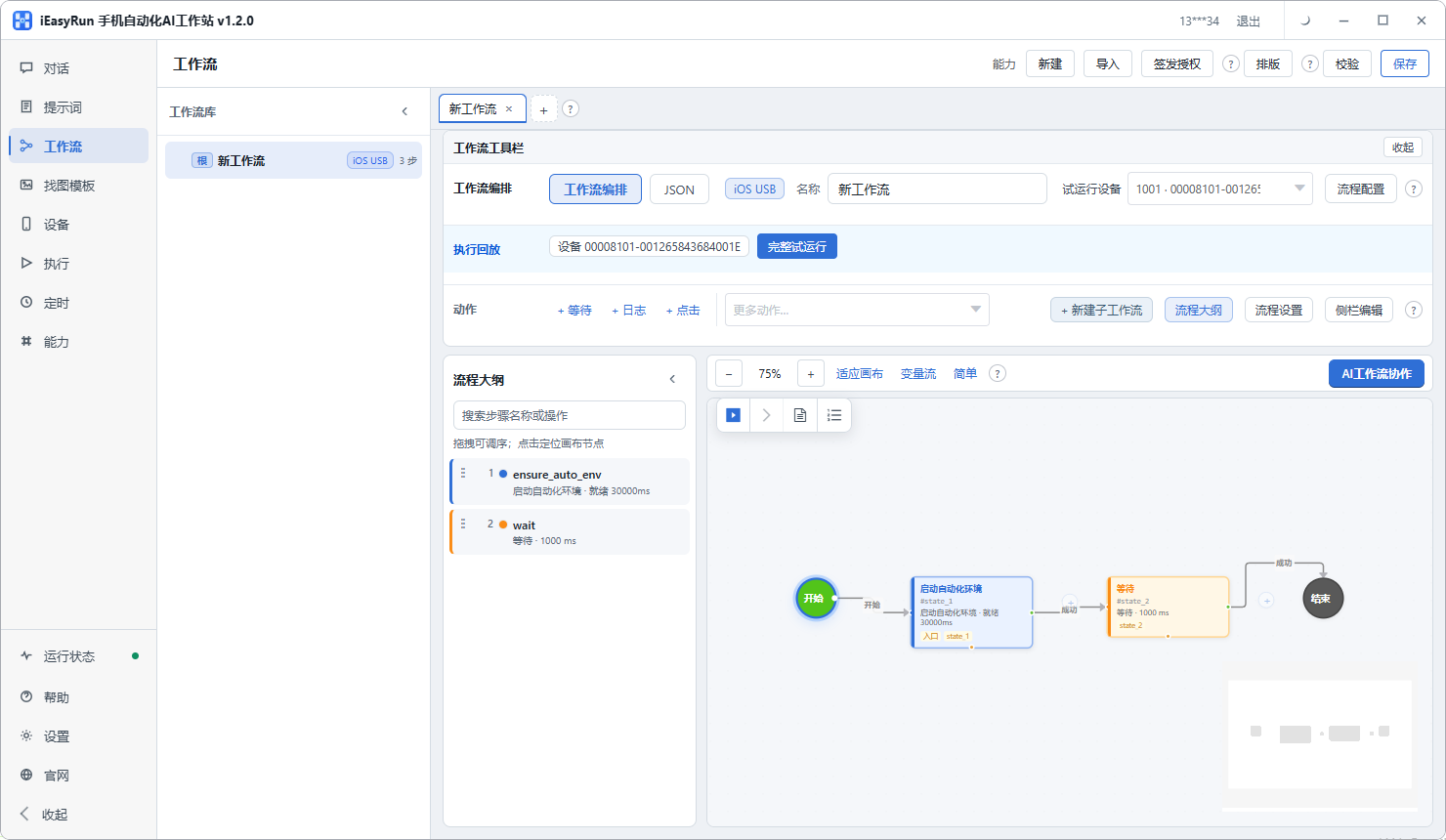
Workflows chain steps (start env → wait → open app → swipe …). Manage in library, edit on canvas, use AI workflow collaboration, trial on devices.
What workflows are
Fixed multi-step templates—pick device and params at run time. More repeatable than one-off chat.
Library
- Search, folders
- New / import / delete
- Tags like unauthorized or expired
Canvas
| Action | Notes |
|---|---|
| New / Import | Blank or file |
| Save / Verify | Persist; validate graph |
| Layout | Auto-arrange |
| AI collaboration | AI-assisted editing |
| Authorization | Where workflow may run |
Nodes include Start automation environment, Wait, Open app, Gesture swipe, etc. First node on USB cable endpoints needs install section 4 done.
Trial run
Pick online device → run → check Execution history.
Chat, prompts, and MCP
| You want… | Prefer |
|---|---|
| One-off natural-language run | Chat |
| Reuse the same instruction text | Prompts → Run in chat |
| Re-run a verified tool path with fewer hallucinations | Save playbook from chat → Run playbook |
| Fixed visual steps / schedule without LLM | Workflow + Schedule |
- Chat can quick-pick workflows
- Local MCP exposes
list_workflowsfor external agents
Blog: video publish workflow.