
Last year someone running a cross-border e-commerce news account came to me, saying he published close to twenty posts a day.
How do you manage that, I asked. Simple, he said. Something worth sharing appears, post it. Under a minute.
That is true, and it is also the problem. That minute arrives twenty times a day, and the timing is set by the news, not by him. A supplier meeting gets interrupted by a notification. Eleven at night, something breaks and he gets up to post it. By the end of the day nothing substantial has been finished, and he is exhausted.
The fix is not to post faster. It is to remove the requirement to be there.
How X behaves
Worth settling first, because it decides everything after.
X is not Instagram or Pinterest. Those two reward accumulation: a Pinterest pin can still bring visitors six months later. X rewards showing up. Three quiet days and readers forget you, because the timeline keeps moving whether you are on it or not.
So for this kind of account, the daily deciding factor is not how good any single post is. It is whether you appear consistently.
Which sets up a contradiction. Appearing consistently means breaking off from your own work several times a day. Protecting your time means going quiet. Discipline does not solve that; changing the arrangement does.
One post is four steps
Take the action apart:
- Open X
- Tap the compose entry
- Type the content
- Tap send
Four steps. Short enough that the first reaction is usually that this is too small to automate.
So I did the arithmetic. Four steps is roughly forty or fifty seconds. Twenty posts is about fifteen minutes of actual operation.
Fifteen minutes does not sound like much. The problem is that it is cut into twenty pieces spread across fifteen hours.
The cost of an interruption was never the forty seconds. It is extracting yourself from what you were doing, posting, going back, and spending a few minutes getting back into it. Twenty times over, that is several hours of refocusing.
What should be saved here is not operating time. It is the requirement to be present.
Settle where the content comes from before you touch the posting
People get stuck on the automation step when the real block is one step earlier: the content is not ready.
The change I suggest is to shift the rhythm. Spend fifteen minutes in the morning assembling what goes out today, then let the rest of the day handle delivery.
Assembling does not require thinking about format. Just list the items:
- A summary of a piece of news, plus two lines of your own take
- A set of figures compared
- A recap of yesterday content
- And so on
Deciding what is worth posting is your job and does not automate. But it can be done in one sitting instead of being spread across the day.
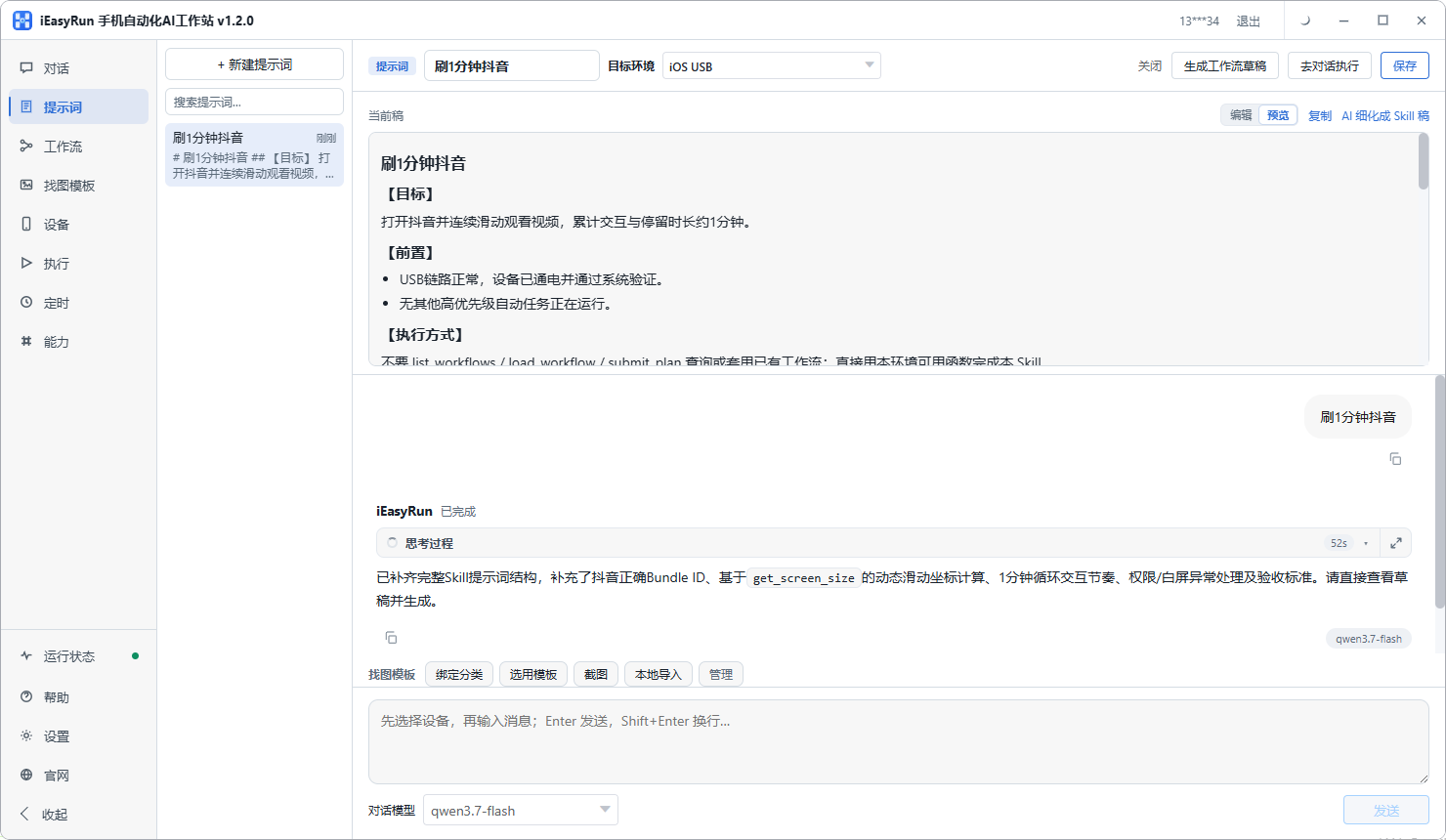
The assembled material can be saved on the Prompts page. If your posts follow a habit, such as leading with the conclusion, storing it means you can call it up when configuring a flow instead of retyping it.
Describe the posting flow in plain language
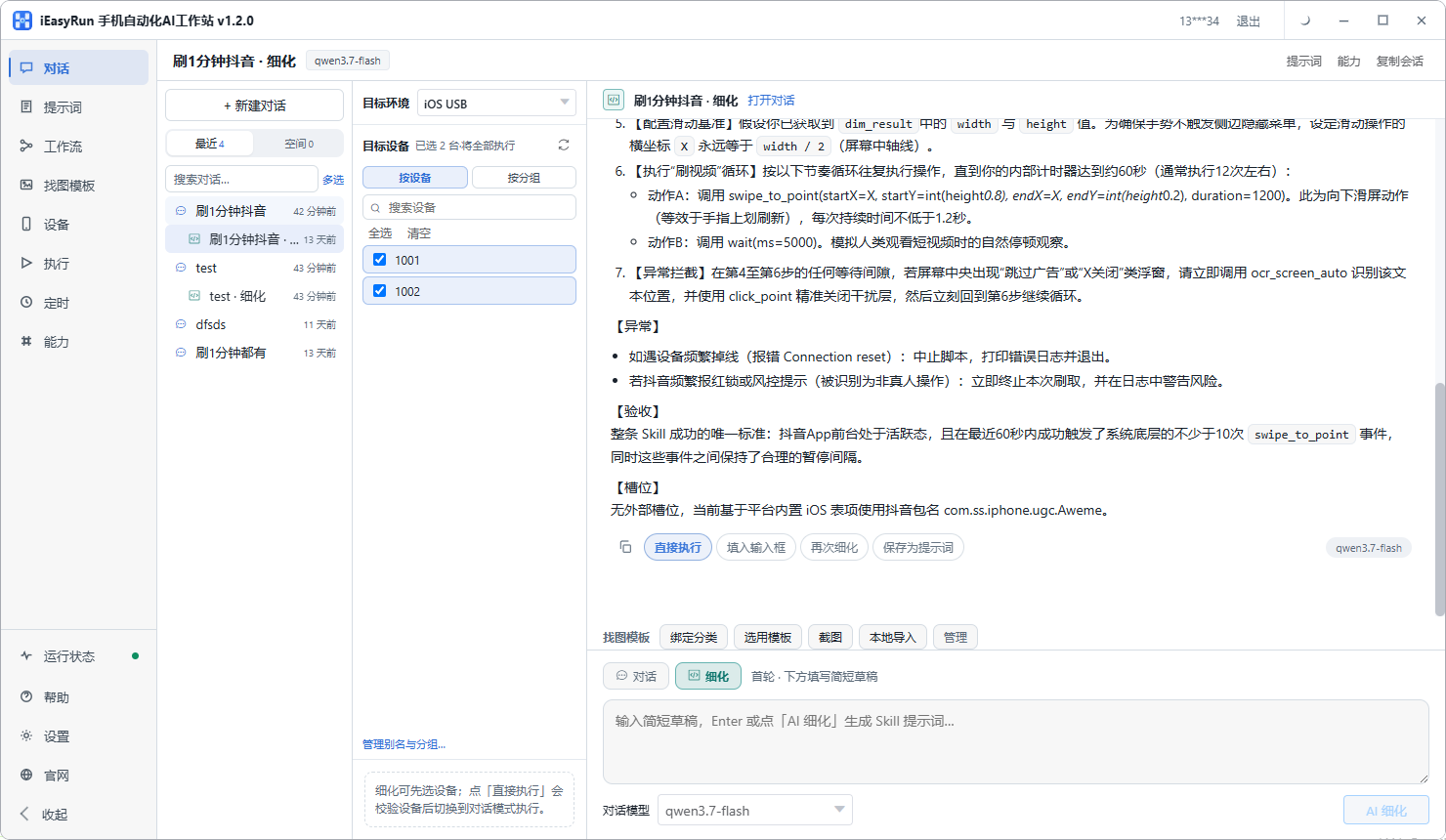
On the conversation page, select the phone and put the action into ordinary words:
Open X, tap the compose entry at the bottom, type the text I give you, attach the image I specify, and stop in front of the send button without sending.
Do not let it send automatically the first few times. With a schedule you are not present, so having it stop at the door while you confirm the actions are right is cheaper than tracking down a mistake afterwards.
Save the refined version to the Prompts page for the next account.
Save the workflow with two parameters
Once the flow has posted correctly for several days, save it to Workflows.
Only two things change per post: the text and which image. Everything else is fixed action and stays hard-coded.
That judgement matters. The more parameters you leave open, the more you have to prepare before each run, until it becomes more work than posting by hand.
What belongs on a schedule, and what does not
This is where scheduling goes wrong most often, so it deserves its own section.
Suits a schedule: news summaries, opinions, data, product updates, recaps, recurring columns. None depend on reacting right now, and two hours either way makes little difference.
Does not suit a schedule: joining a conversation as it unfolds, replying to someone, anything mid-argument. The value there is being current, and scheduling it undermines the point.
My advice is to split content in two. The schedulable majority goes out on time; the rest stays in your hand and goes out when you see it. You keep the immediacy where it matters and remove most of the interruptions.
The icon-only button problem
X has a fair number of bare icon buttons: the compose entry, repost, attachments. No text to read.
For those, add an image template: take a screenshot, crop the button, give it a name, and describe when it should be used. On subsequent runs the flow searches the screen for that exact picture.
It does not take long, and it decides whether the flow holds up.
Spacing several accounts
Two suggestions if you run more than one.
Offset the accounts from each other. Do not let three or four fire on the same minute. It does not look like ordinary activity, and if something breaks you cannot tell which account is at fault.
Spread one account across the day. Ten posts should not all leave at nine in the morning. Distribute them across several windows with gaps in between, which looks more ordinary and reaches more of the timeline.
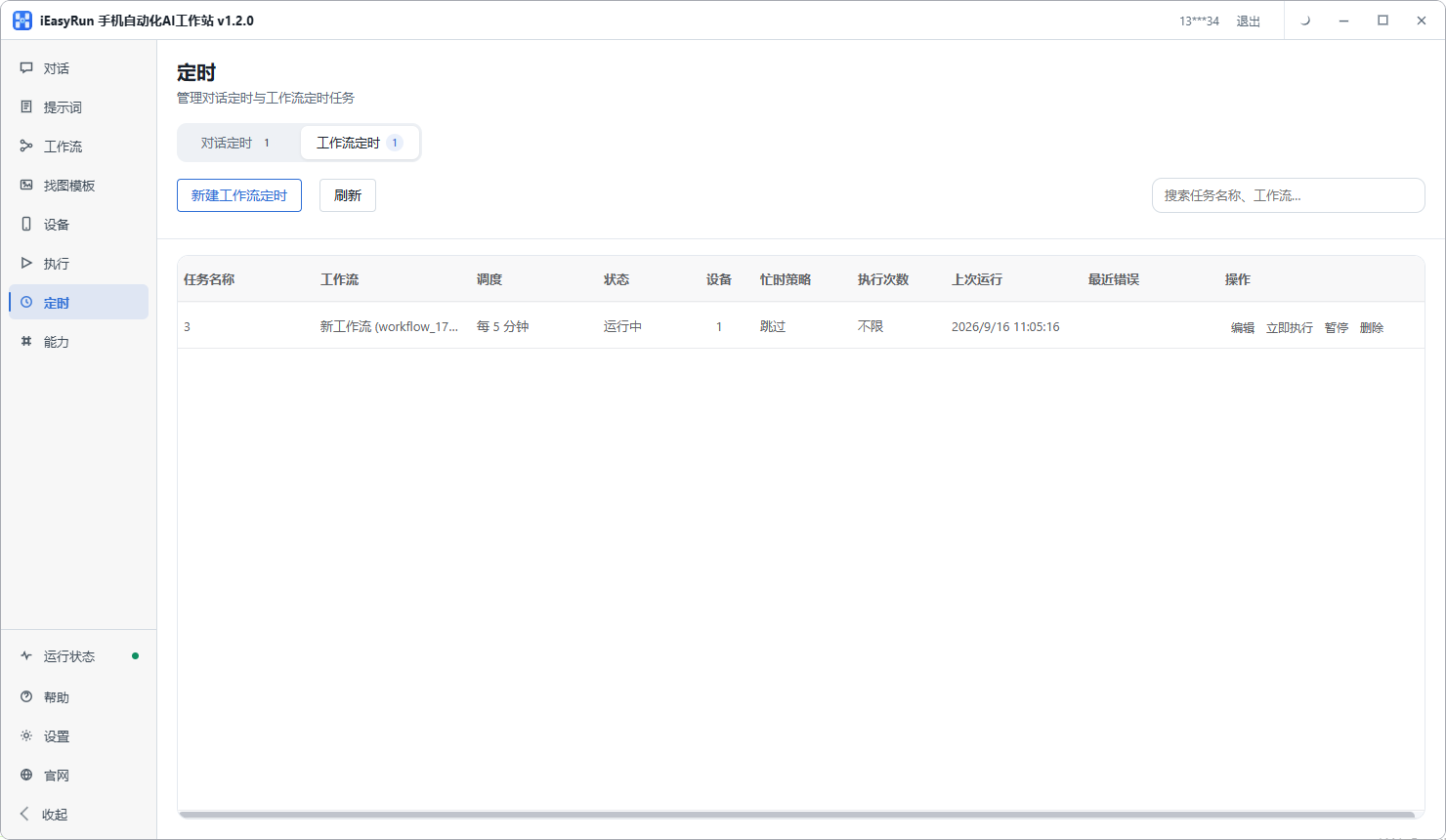
If nothing fires at all, check two things first: is the workstation open, and did the computer sleep. Scheduling is local, and those two account for most silent failures.
Do not skip the checking
For the first week or two, read every entry in Execution History. It records the source, status, target device and error.
Early on you will meet small problems: a wait that is too short, an image that cannot be found, an account that went offline. All of them show up there. Once failures become rare, move to spot checks.
Back to the news account. His rhythm now is half an hour in the morning to assemble twenty posts, then the template handles delivery on time. What he said stuck with me: he used to be led around by the news, and now he decides when to look at it.
If you post occasionally and are not chasing a rhythm, doing it by hand is fine. But if frequency is what holds your account together and you would rather not be chopped into pieces all day, try one account for a week.
Frequently asked questions
- Do you really need to post that often on X?
- It depends on what the account is. Industry news, market tracking and reaction accounts live on frequency. An account that publishes long-form analysis is better off with one or two substantial posts a day. This piece is about the first kind.
- How many steps does one post take?
- Open X, tap the compose entry, type the content, tap send. Four. It is short enough that most people conclude automation is not worth it, which misses that the action repeats fifteen or twenty times, spaced across the entire day.
- So why automate something that takes a minute?
- Because what you are saving is not the minute, it is the requirement to be present. Twenty interruptions a day is more tiring than forty uninterrupted minutes. Lining the content up in the morning and letting it go out means your afternoon stops being chopped into pieces.
- Which content suits scheduling?
- News summaries, opinions, data, product updates and recaps of earlier posts. None of those depend on reacting right now. Anything that requires joining a conversation as it happens, or replying to someone, does not belong on a schedule.
- Can posts with images or reposts be automated too?
- Yes. A post with an image is the same flow with one extra step for choosing the image. A repost is the same flow aimed at an existing item. As long as the action is on screen and the order is fixed, it fits a template.
- The compose button is just an icon. What then?
- X uses a lot of icon-only buttons with no readable text. Add an image template for that button: crop it from a screenshot, describe when it should be used, and the flow will look for the picture you supplied.
- How should several accounts be spaced out?
- Offset them rather than firing everything at one moment. Within a single account, spread multiple posts across different windows too, rather than emptying the day queue in one go. It looks more ordinary and keeps reach spread evenly.
- A scheduled post did not go out. What do I check?
- The computer first. Scheduling is local, so a closed workstation or a machine that went to sleep means nothing fires. Then check whether the phone is online. Those two explain most cases of nothing happening.
Move the distribution out
Line the content up in the morning and let it go out on time
Software is completely free and runs on your own computer.