
A few years back someone running an interior storage brand told me Pinterest was her second-largest traffic source, behind search.
How, I asked. No secret, she said: about twenty pins a day, sustained for over a year. That is also why she went looking for a Pinterest bulk pin workflow. It sounds manageable until she added that those twenty pins cost her ninety minutes daily.
I assumed she was choosing images. She had already chosen them; a single batch yields hundreds. The ninety minutes went into publishing. Open the app, tap create, find the right image, fill the title, write the description, add the landing page, pick the board, publish. Three or four minutes each, twenty times over.
The ratio says a lot. Her time was going almost entirely into moving things around, not into deciding what to make.
Pinterest works differently
Worth settling first, because the tactics follow from it.
Pinterest behaves more like an image search engine than a feed. People arrive with intent: they want to fit out a wardrobe, or find storage for a small flat. Three consequences:
The tail is long. A pin can still bring visitors six months later, which is nothing like the three-day window on short video.
Coverage accumulates; single hits matter less. The broader your coverage, the more searches you can appear in. That is why she was pinning twenty a day.
But it only works if you keep going. Stop for a month and traffic falls off noticeably.
Those three point the same way: the deciding factor on Pinterest is publishing cadence, and cadence is the dullest part of the job. Which makes it a good candidate for a computer.
The steps one pin takes
I wrote down what she actually did:
- Open Pinterest
- Tap the create entry
- Find the chosen image in the library
- Fill the title
- Write the description, a couple of sentences with keywords
- Add the landing page address
- Pick the board
- Tap publish
Eight steps. Steps 3 through 7 differ every time. Steps 1, 2 and 8 are identical.
Compared with Instagram, Pinterest adds one complication: the image and the landing page have to match. Send someone from a photo of a storage box to a page about renovation and they leave immediately. So before anything can be batched, that pairing has to be written down.
Describe the flow out loud
On the conversation page, select the phone and turn those eight steps into ordinary language:
Open Pinterest, tap the create pin entry, choose the latest image from the library, set the title to the text I give you, the description to the text I give you, the landing page to the link I give you, the board to the one I name, and stop in front of the publish button without submitting.
Leave publishing for manual confirmation on the first runs. That part is not optional here, because publishing to the wrong board means deleting and starting again.
Save the refined description to the Prompts page and pull it up when the theme changes.
Freeze it: image, description, page, board
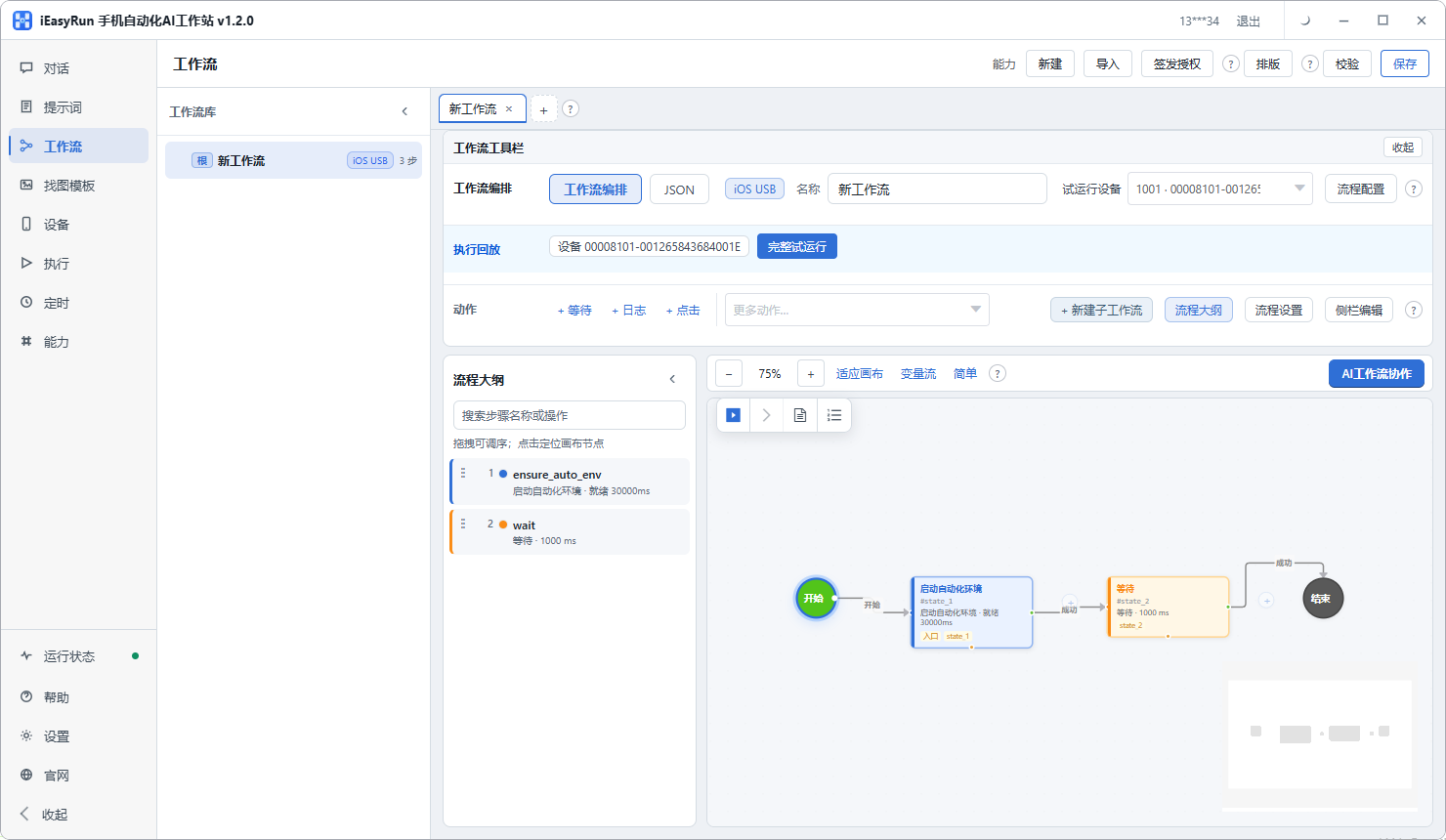
Once the flow holds, save it as a workflow with four parameters left open:
| Parameter | What it does |
|---|---|
| Image index | Points at a specific image in the library |
| Description | Differs every time, carries the keywords |
| Landing page | Must match the image subject |
| Board | Decides where the pin is filed |
With those four open, one template covers the whole batch. The prerequisite is a table you build first: image, description, landing page, board, one row per pin. That table is worth doing carefully, since it decides the quality of everything that goes out.
Run validate, then test run it on one phone. Results land in Execution History.
Icon-only buttons need an image template
Pinterest has a fair number of bare icon buttons with nothing readable on them. When the flow reaches one, recognition gets shaky.
The fix is an image template: crop the button from a screenshot, give it a name, write down when it should be used, and store it. On later runs the flow looks for the picture you supplied.
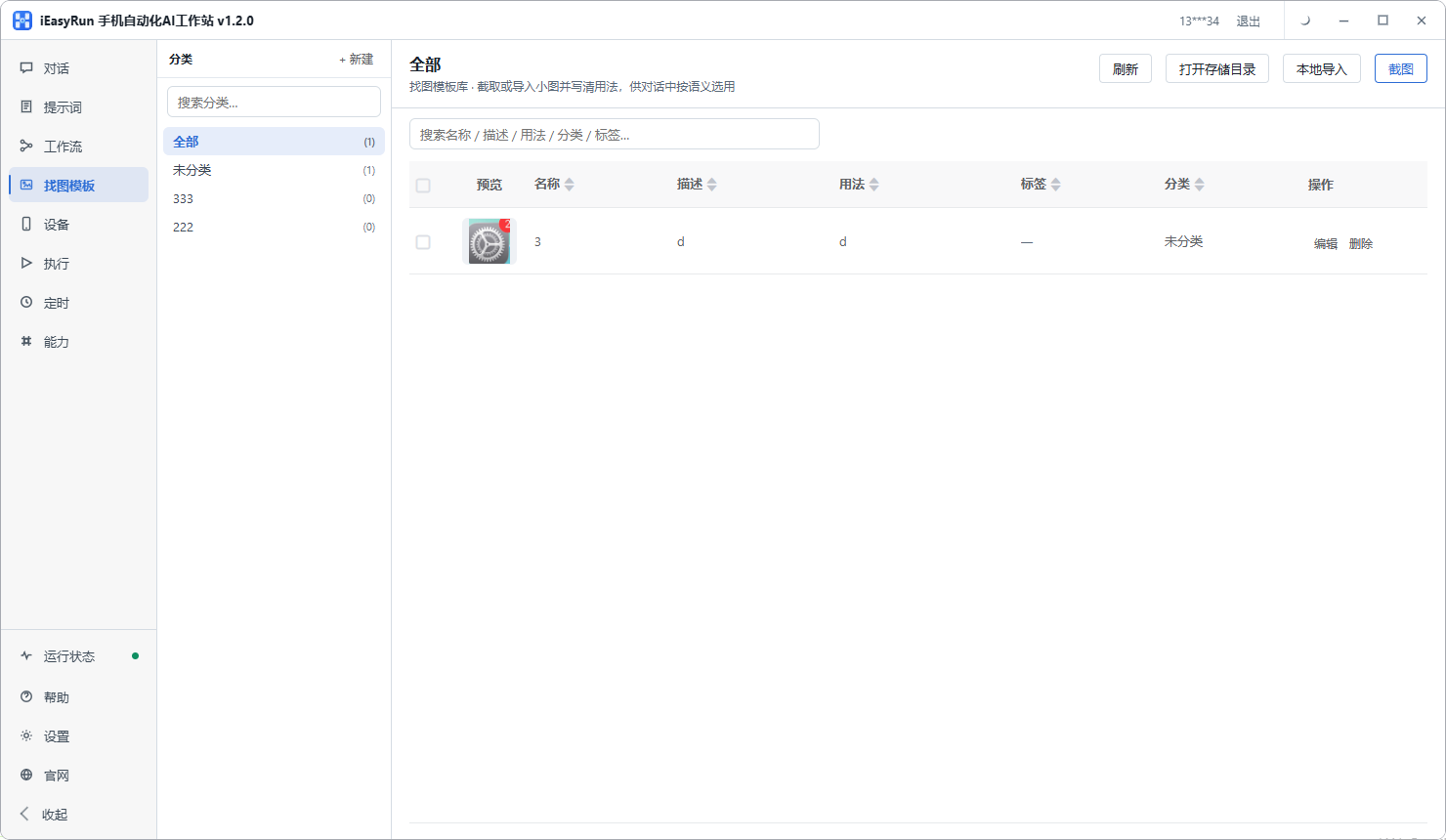
It sounds like a chore, and it is often the difference between a flow that mostly works and one that holds. Ten minutes spent on a few icons pays off across hundreds of runs.
Cadence and scheduling
With the flow and the table ready, set the rules on the Schedule page.
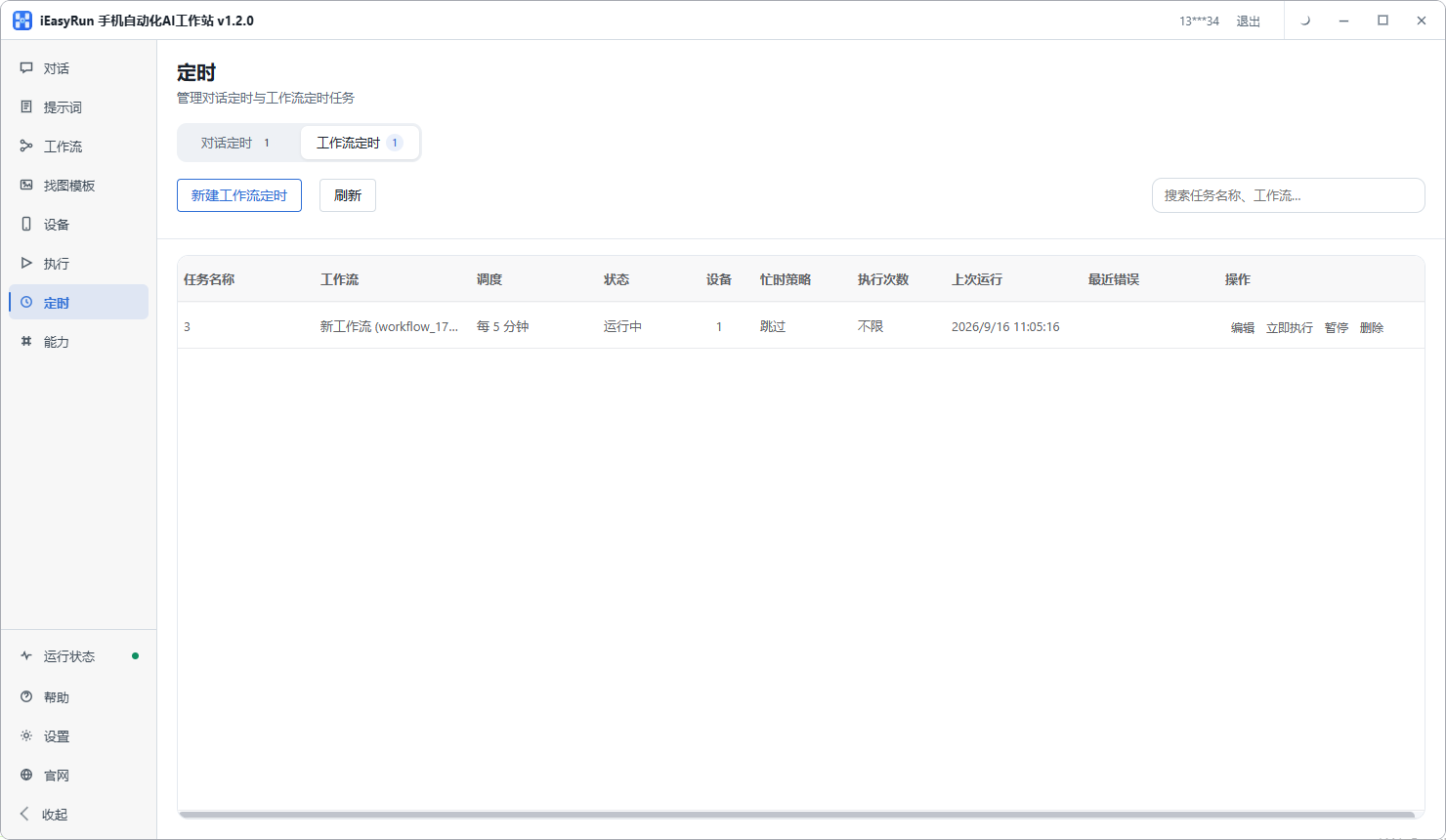
Two suggestions.
Start low and work up. Three to five pins per account per day for a week, look at the data, then increase. A sudden jump in volume is unstable no matter what tool you use, both for account standing and for the numbers themselves.
Stagger the accounts. Several themed accounts should not all fire in the same minute. Spacing them makes the pattern look ordinary and lets you identify a failing device at a glance.
Three prerequisites again, because missing one means nothing runs: the workstation open, the computer not sleeping, and the target phone online or able to reconnect on time.
What bulk publishing cannot fix
One boundary worth stating.
Pins loaded with promotional text or watermarks are already unpopular, batched or not. Reposting one image under new titles reads as duplication. Bulk publishing solves the count, not the content. You need a genuinely varied set of images and pages for them to point at, and there is no way around that.
Back to the storage brand. She built the image-to-page table, made three workflows for three themed accounts, and gave each a schedule. In her words: time spent on pins went from ninety minutes to ten, and that ten is her checking Execution History and pruning the table. The rest goes into shooting new material.
For a single Pinterest account pinning a handful a day, the business account features cover it and a Pinterest bulk pin tool adds nothing. But with several themed accounts that need to publish continuously, get one working first, then copy the template.
Frequently asked questions
- How is Pinterest traffic different from other platforms?
- The tail is very long. A single pin can still bring visitors six months later, but only if you keep publishing. The logic is closer to an image search engine than a feed, so it rewards accumulated coverage rather than one viral hit.
- Pinterest business accounts can schedule. Why use something else?
- For one account, the built-in feature is enough. The friction starts at several accounts: each one has to be signed into separately, with its own times and its own images. Going around that loop repeatedly is where the repetition shows up.
- How many steps does one pin take?
- Seven or eight: open Pinterest, tap create, choose an image from the library, fill the title, write the description, add the landing page, pick the board, tap publish. The real work is making sure each image pairs with the right page.
- How do I keep images and landing pages straight?
- Build a pairing table. One image maps to one landing page, one description and one board, and those four travel together. A pin whose image does not match its page is wasted effort.
- What if an icon on the publish screen cannot be recognised?
- Pinterest has a fair number of bare icon buttons with no readable text. Add an image template for those: crop the button from a screenshot, store it, and write down when it should be used. The flow then looks for the picture you gave it.
- How many pins a day is safe?
- There is no universal number; it depends on the age of the account and the quality of the content. Start low, three to five per account per day, run it a week and look at the data before increasing. A sudden jump in volume is unstable regardless of the tool used.
- How should several accounts be split up?
- By theme rather than by count. One account on storage, one on renovation, one on shopping lists. Clear themes let each account build its own board structure and get recommended to the right people.
- Which images are a poor fit for bulk publishing?
- Images heavy with promotional text or watermarks are already unpopular on Pinterest, and reposting the same image under a new title reads as duplication. Bulk publishing multiplies the count; it cannot fix the content.
Hand the publishing over
Configure the template once, then let pins go out on a schedule
Software is completely free and runs on your own computer.