
Last year someone in industrial components asked me whether LinkedIn could be automated.
His business is B2B, customers are small and mid-sized factories in Europe. His method was traditional: search LinkedIn for a procurement contact, look at their profile, send an invitation with a line of context. A few dozen a day. Over a quarter it produces a handful of leads.
When he described it, my first thought was that this is just repeated clicking, so it should be easy. Talking it through, the difficulty had nothing to do with the clicking.
What makes LinkedIn different
This settles everything that follows.
Instagram, Pinterest and X run on reach. An extra post that nobody sees costs you nothing.
LinkedIn runs on relationships. The person receiving your invitation sees your name and your title, decides whether to accept, and can report it. The cost of being careless is not that nothing happens. It is that your name now carries a bad impression with that person, and that is hard to undo.
So the automation goal here is inverted. On other platforms you want more. Here you want less, done steadily and precisely.
Settle that and the trade-offs follow. The point is not to maximise volume; it is to standardise the repetitive part and keep the judgement for yourself.
The action chain of one invitation
I wrote down what he actually did:
- Open LinkedIn, go to search
- Enter keywords, such as a role plus a city
- Scan the results and pick the ones that fit
- Open the profile and look at their history and recent posts
- Tap connect
- Choose to add a note
- Write a line or two
- Send
- Return to the results and continue
Nine steps. Steps 3, 4 and 7 are judgement. The rest are operation.
That distribution is typical, and the judgement steps are exactly the ones that decide the outcome. Pick the wrong people and no amount of clever wording helps.
Which actions can be handed over
By that split, the line is clear:
| Action | Hand over? | Why |
|---|---|---|
| Open search, enter keywords | Yes | Fixed action |
| Scan results, open profiles | Yes | Fixed order |
| Read a profile and decide fit | No | This is judgement |
| Tap connect, add a note | Yes | Fixed |
| Write the invitation | Partly | Prepare per person, let the flow fill it in |
| Send | Yes | Manual confirmation the first runs |
| Record who was contacted | Yes | Read it back from Execution History |
By that line, roughly the back half can go: from tapping connect through sending and recording. The front half, search and filtering, can also be templated if your criteria are clear, such as industry plus role plus region. But which specific people get contacted should stay your call.
Cadence matters far more than volume
This deserves its own section, because it runs against how I would advise on other platforms.
On X or Pinterest, the advice is to start low and work up while watching the numbers. On LinkedIn I would be more conservative: hold a small volume until the acceptance rate is where you want it, then consider increasing.
The risk is asymmetric. More content than people want merely goes unseen. More invitations than the platform tolerates gets the account restricted, and that account may carry years of content and connections.
So there are two things I build into the configuration.
Hard-code a daily ceiling into the flow or the schedule. Do not let it send as much as it can; set a number, say twenty, and stop there.
Spread the actions out. Twenty invitations in ten minutes does not look like a person. Distribute them across the day with some random gap.
Both look like they reduce efficiency. They are actually protecting an asset.
Wording as a parameter, and never just one version
Back to his main worry: how to sound like a person.
Two steps.
First, prepare several versions by segment. Factory procurement contacts get one, brand marketing contacts get another, independent store owners get a third. Different tone, different emphasis.
Second, leave variables inside each. The company name, something they posted recently, a mutual contact. Those turn a line from a template into something said to them specifically.
In the flow, all of that becomes parameters, passed in per person at run time rather than assembled by the flow.
Compare. This reads as mass mail:
Hi, I saw you work in manufacturing. We have relevant products and would like to connect.
This reads as a person:
Saw your post last month about supplier lead times. We make components, mostly for small European factories, so I thought it was worth connecting.
In the second, the lead times reference and the European factories detail are both variables. The flow fills them in.
The tracking table is what breaks first
This is what actually tripped him up.
Two weeks in, he found several contacts had been invited twice, and a batch had been sent to and then forgotten.
The problem sits with knowing who has already been contacted. Memory fails after a few dozen, and relying on the platform status is not enough either, because it changes and you cannot filter it by your own dimensions.
So keep a table, one row per person:
| Column | Contents |
|---|---|
| Name | The person |
| Company | Where they work |
| Date sent | When the invitation went |
| Status | Sent / accepted / replied / no response |
| Notes | Which wording was used, how far the conversation got |
After a run, check Execution History and write the day updates back into the table. The table does not need to be elaborate, but it has to exist and it has to be updated every time.
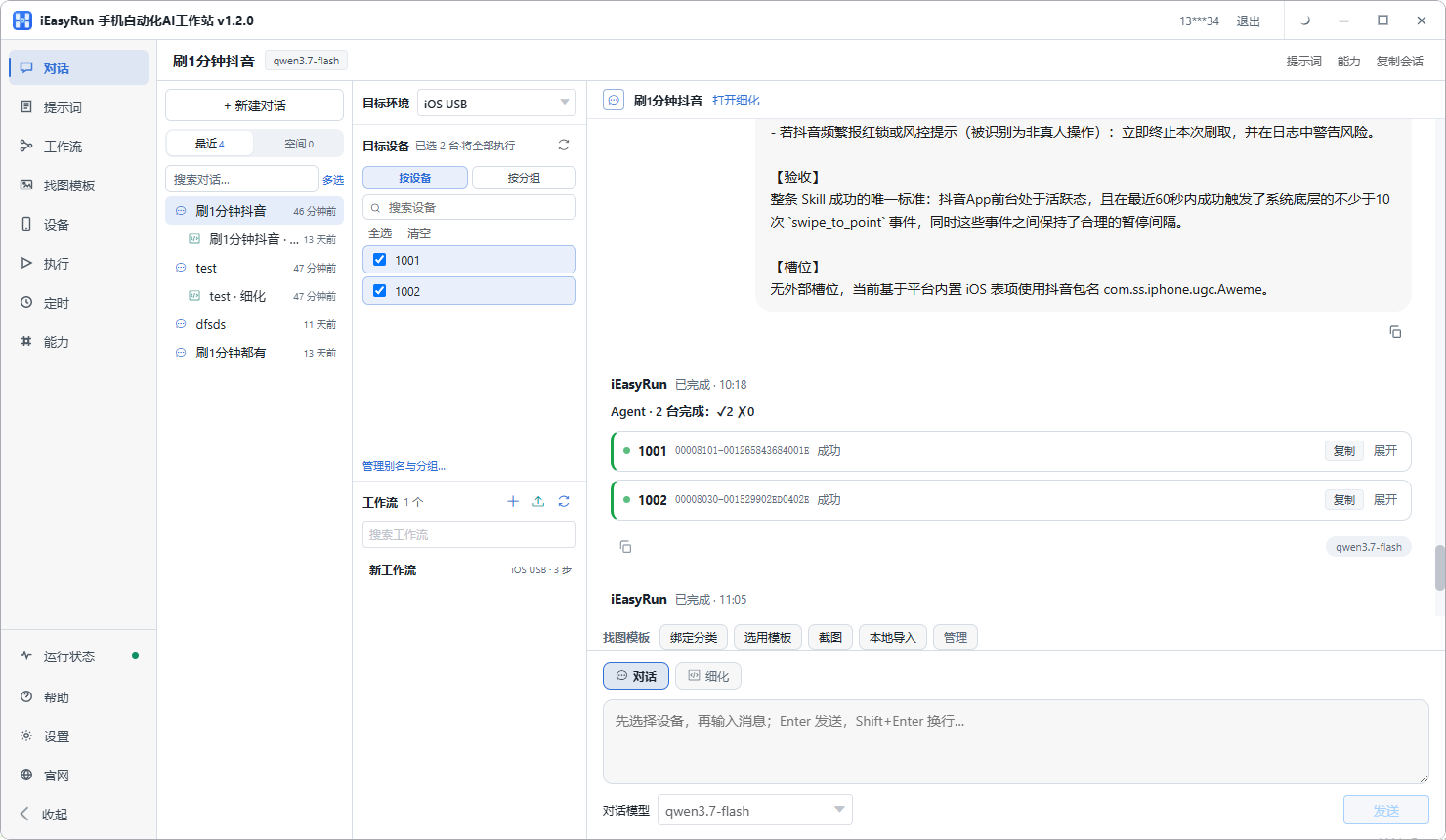
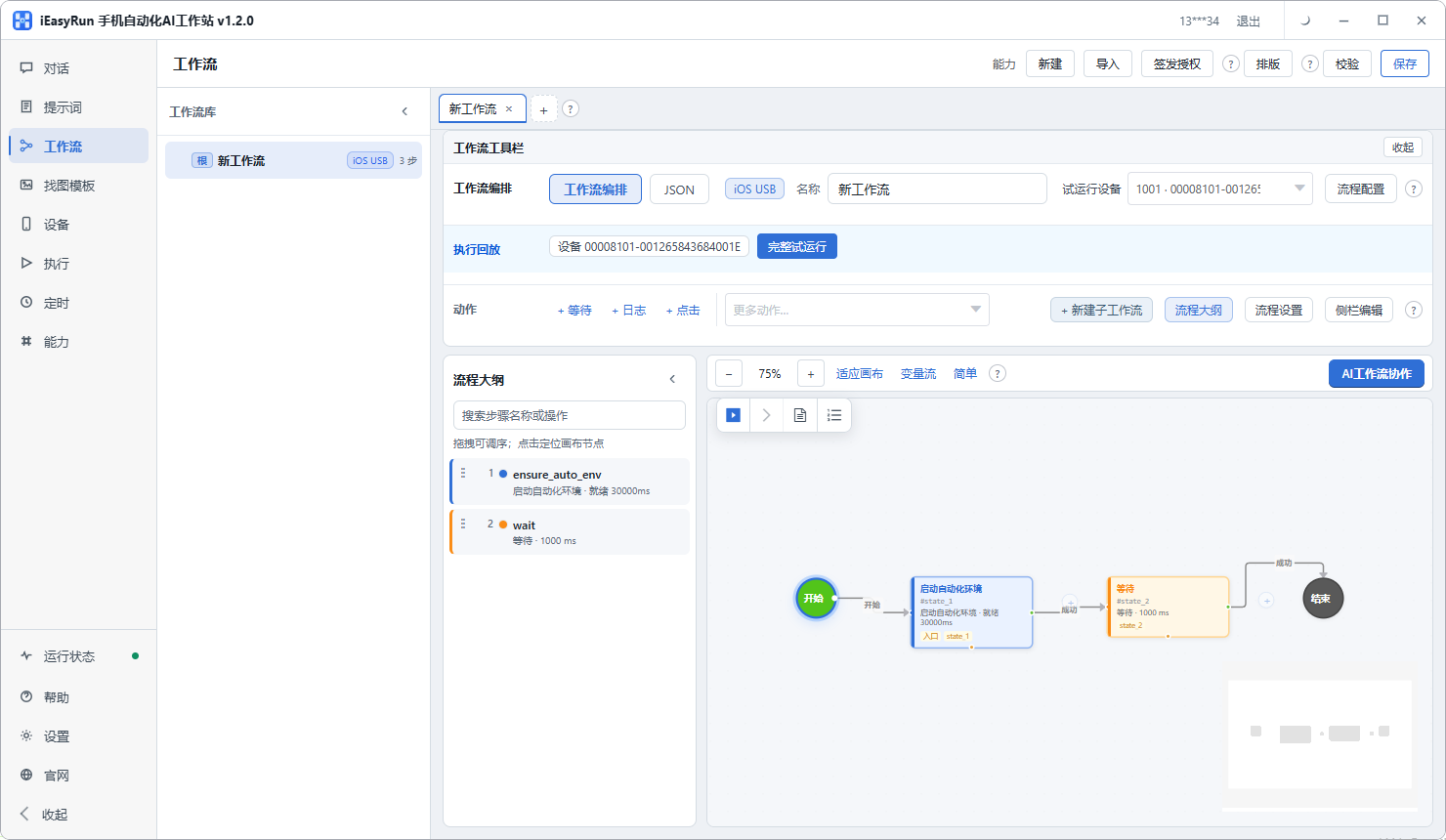
Two flows, kept apart
Posting and inviting share almost nothing, so keep them as two separate workflows.
Posting is simple: three or four steps, with the text and image as parameters.
Inviting is longer: search, open profile, connect, add note, fill in the wording, send. Its parameters are the wording variant, the variables, and the daily ceiling.
Keeping them apart means changing one does not disturb the other. Combine them and adjusting your invitation wording ends up skewing the posting flow as well.
One phone, one account
With more than one LinkedIn account, keep one per phone, aliased with the account name or the market it covers.
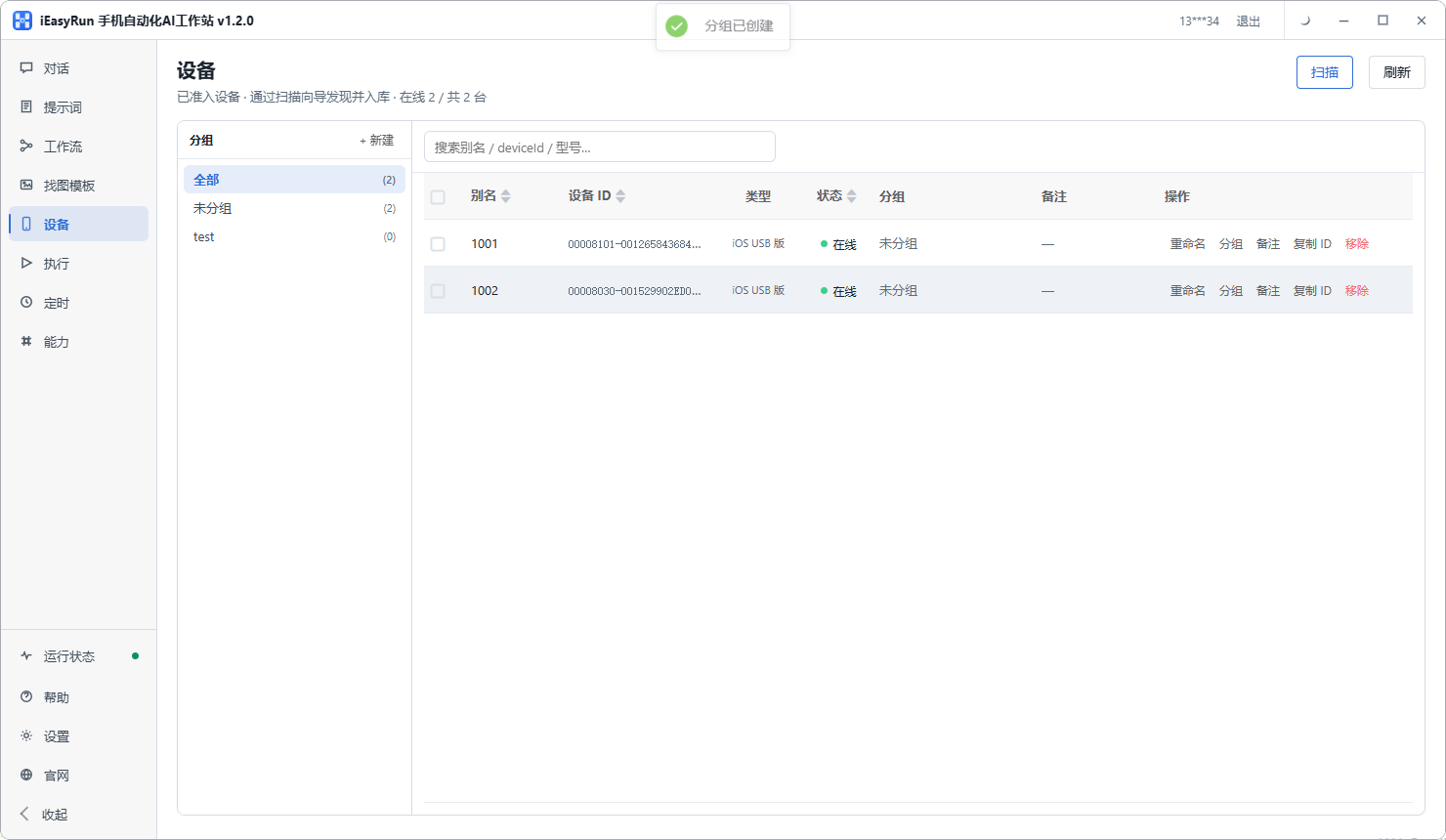
The reason matches the other platforms, and matters more here: one mistake can leave a mark on two accounts at once.
The boundary, stated plainly
This system handles execution: it standardises the tapping, filling and submitting so you are not repeating it by hand. It does not handle judgement: whether this person is worth contacting, how to word it, when to follow up.
So with any flow you configure, my advice stays the same. You set the search criteria, you pick the people, you write the wording. The rest it can run.
Back to the industrial components seller. He handed over the mechanical part of outreach, dropped from a few dozen a day to under twenty, and the acceptance rate went up. His summary: it used to be I must send fifty today, and now it is twenty that are worth sending.
If you are doing outreach on LinkedIn, connect one phone using the install selection page and run a small volume for a week before deciding anything.
Frequently asked questions
- What makes LinkedIn different from the posting platforms?
- It runs on relationships rather than reach. An extra Instagram post that nobody sees costs you nothing. A careless invitation on LinkedIn is seen by a named person who can accept, ignore, or report it, and that impression is hard to undo. The goal here is stable and precise, not more.
- How many invitations a day is safe?
- No universal number. It depends on the age of the account, how active the content is, and what share of invitations get accepted. Start low, say ten to twenty a day, watch acceptance and account standing for a week, and decide from there. A large batch from a standing start carries noticeably more risk.
- How do I stop the invitation reading as mass mail?
- Two things. Do not use one identical line everywhere; prepare several versions by segment, and inside each one leave variables such as the company name or something they posted recently. Then leave the wording as a parameter passed in per person, rather than baked into the flow.
- How do I track who has already been contacted?
- This is the part that breaks first. Keep a table with one row per person: name, company, date sent, current status. After a run, check Execution History and write the day updates back into the table. Do not rely on memory, and do not rely only on the platform status.
- Should posting and inviting be separate flows?
- Yes. They share almost nothing. A post is write, attach, publish, two or three fixed actions. An invitation is search, open profile, tap connect, add a note, send, five or six steps with a decision in the middle. Combined, changing one disturbs the other.
- What about buttons that are only icons?
- Part of the LinkedIn interface uses bare icons with no text. Add an image template for those: crop the button from a screenshot, describe when to use it, and the flow will look for that picture.
- How should several accounts be spread across devices?
- One phone per account, aliased with the account name or the market it covers. Choosing a device then means choosing an account, so nothing has to be held in memory and there is one less chance of a mistake.
- What if the account gets restricted?
- Reduce the volume first and pause for a few days rather than pushing more through. Then check two things: whether the wording reads as mass mail, and whether a lot of actions happened within a very short window. Those two are the usual causes.
Move the repetitive part out
Hand over the searching, opening and inviting
Software is completely free and runs on your own computer.