
Two years back someone selling second-hand electronic accessories came to me with three eBay accounts, one batch of stock that had to go on all three, and a question about eBay bulk listing.
His process was this: prepare a batch of about twenty items, shoot the photos, write the titles and descriptions, then open the first account and list them one by one. Twenty down, switch to the second account, twenty more. Then the third.
A full batch took over two hours. Two batches a week, five hours.
I asked whether the three accounts listed identical things. Not quite, he said. Dispatch location and returns policy differ, and he prices slightly differently because he is testing price points.
That made it clear. The difficulty is not how fast the listing action is. It is that one batch of items has to go through several accounts. That is a one-to-many problem, and it is a different problem from single-account listing.
Separate the two dimensions
Most people doing multiple eBay accounts start by asking how to make listing faster, and end up with something they still have to walk through account by account.
The right starting point is to separate the item dimension from the account dimension:
- Item dimension: title, description, price, condition, images. Properties of the item itself.
- Account dimension: shipping method, returns policy, payment method, dispatch location. Settings that are basically fixed for an account.
In cross-border listing, once the two dimensions are separated, something obvious appears. That whole pile of account fields does not change for years. It has no business being something you hesitate over each time, so hard-code it into the template for that account.
What actually needs managing is the item dimension, and since it differs per item, it suits parameters.
| Field | Travels with | Handling |
|---|---|---|
| Shipping method | Account | Hard-coded in template |
| Returns policy | Account | Hard-coded in template |
| Payment method | Account | Hard-coded in template |
| Dispatch location | Account | Hard-coded in template |
| Title / description | Item | Parameter |
| Price | Item, possibly per account | Parameter |
| Condition | Item | Parameter |
| Images | Item | Parameter |
With that table in view, the configuration is obvious: one workflow per account, and the only parameters are the item-side fields.
Expand the table to item times account
This is the most important step in eBay bulk listing, and the one most people skip.
Do not use one row per item. Use one row per item-account combination.
| Account | Item | Title | Price | Condition | Image index | State |
|---|---|---|---|---|---|---|
| A | Bluetooth earbuds | … | 12.99 | Used, good | 001 | Listed |
| B | Bluetooth earbuds | … | 13.49 | Used, good | 001 | Listed |
| C | Bluetooth earbuds | … | 12.99 | Used, good | 001 | Pending |
Three benefits follow.
You can see what is missing. Twenty items across three accounts is sixty rows. A table with forty means twenty combinations are outstanding.
You can pace each of your multiple eBay accounts separately. Only want to list on one account today? Filter to that account rows instead of re-deriving the split in your head.
A bulk product publishing flow feeds repricing and restocking directly. Price is already separated per account in the table, so a repricing flow takes that table as its input.
One set of images
Images belong to the item, so one set works across all three accounts. Push them into each phone library with bulk file push.
Two things to watch: push in stages rather than all at once, and grant photo library permission on iPhone first, or the files arrive and cannot be saved.
One caution. Do not let the titles and descriptions be identical across accounts. Reusing images is fine, but identical text reads as one seller bulk-listing and invites association. Reword slightly, shift the order of the key details. It costs almost nothing.
Describing the listing flow
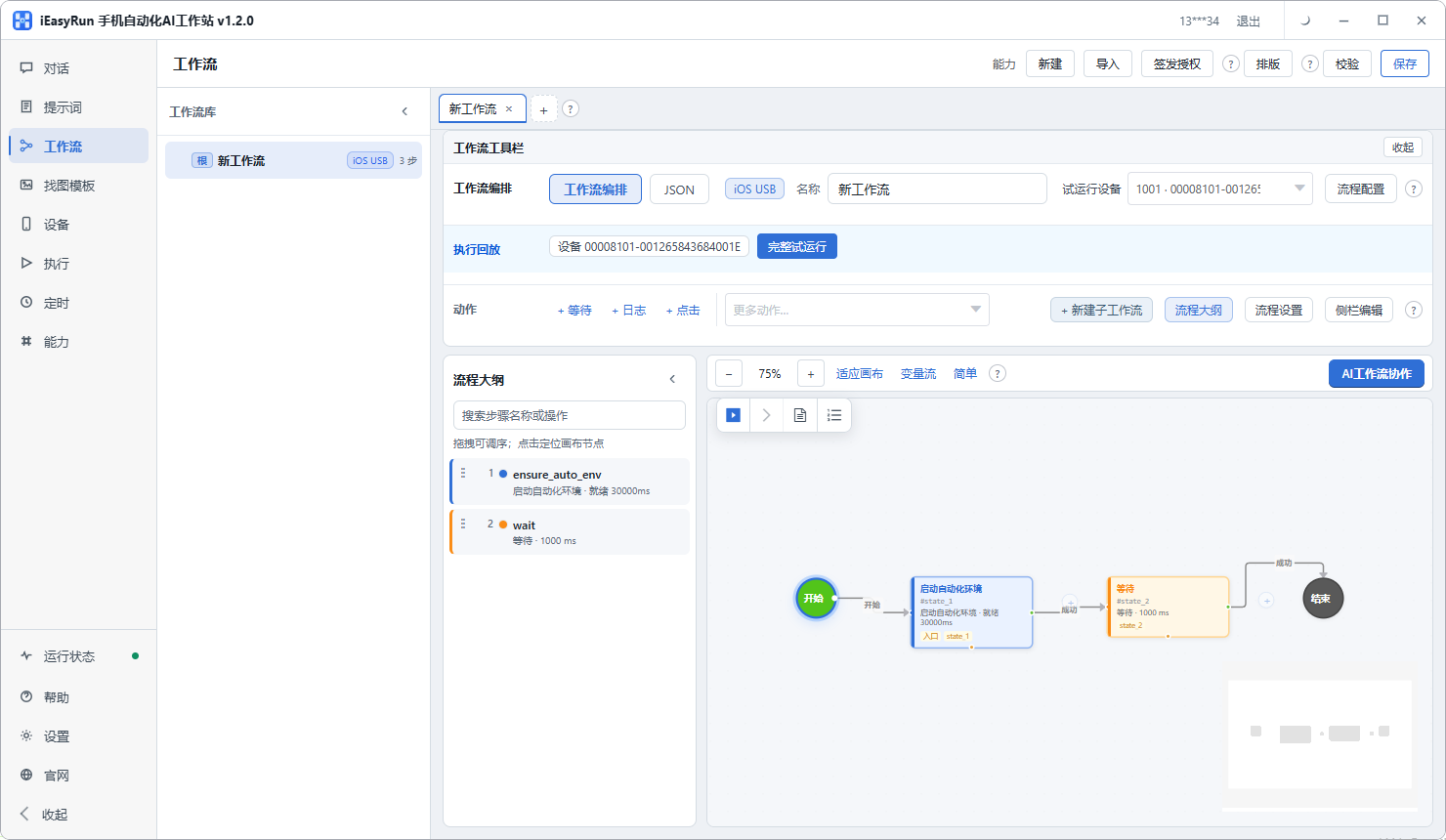
On the conversation page, pick the phone for one account and describe the full listing flow in refinement mode:
Open eBay, go to the selling entry, choose the images I specify from the library, set the title to the text I give you, the price to the number I give you, condition used good, the description to the content I give you, shipping to this account default, returns policy unchanged, and stop in front of the submit button without submitting.
Keep the manual confirmation at first. Listing is public, and fixing a wrong listing costs more than one extra tap.
Once the bulk product publishing flow runs cleanly, save it as that account workflow. Then copy it, change the account-bound fixed fields, and you have templates for the second and third accounts.
The two jobs worth doing next
This seller later found that what actually consumed his day was not listing. It was repricing and restocking.
Listing happens with new stock and is done when the batch is done. Repricing and restocking happen every day: which prices have been undercut, which SKUs are running low.
And those two repeat more than listing does, with clearer rules:
- Restocking: below a threshold, add a fixed quantity
- Repricing: below a floor, restore by a fixed step
The same logic run once a day instead of once a week saves an order of magnitude more time.
The method is identical. Data comes from that table, conditions become parameters for threshold and step size, and the flow executes. The decision stays with you. The tool does not set prices, it repeats the rules you set.
One gate is worth adding here: put a floor and ceiling on repricing so movement is bounded, and have it stop when a step would go outside. That protects an entire catalogue from one bad rule.
The boundary
This approach handles consistency and coverage: the same batch reaches every account, no field is missed, prices follow your rules.
It does not handle the selection and pricing strategy side of eBay dropshipping: whether this stock belongs on three accounts, whether the accounts should price differently, when something should come down. Those are business calls, and the tool cannot make them.
Back to the accessories seller. He now runs three accounts from one table, items expanded by combination, prices in their own column. Listing went from over two hours to half an hour, most of which is reconciling Execution History. His summary: it used to be this batch needs listing twice more, and now it is filling in the rows for these accounts and tapping once.
If you are running eBay dropshipping or cross-border listing, get one account working first and then copy it to the others. The change is smaller than you would expect, because the account-bound fields never needed to change each time.
Frequently asked questions
- What makes eBay listing harder than most platforms?
- The number of fields, and the way they cluster. Basics, shipping options, returns policy, payment methods, condition: several groups, fifteen to twenty fields in total. Domestic Chinese platforms usually need about half. More fields means a higher chance of a human error.
- What is the core difficulty with several accounts?
- One-to-many. The same batch has to be listed separately on each account, and shipping, returns and pricing policy can differ between them. So the problem is not making the listing action faster, it is keeping the item and account dimensions aligned.
- Which fields travel with the account and which with the item?
- Shipping method, returns policy, payment method and dispatch location travel with the account, and are fixed for months, so hard-code them into that account template. Title, description, price, condition and images travel with the item, and become parameters.
- How should the table be shaped?
- Expand it to item times account, one row per combination rather than one row per item. That way you can see at a glance which items have not gone to which account, and control the rhythm per account. One extra column saves a lot of reconciliation later.
- Reusing the same images across accounts, is that a problem?
- Reusing product images across accounts is normal. What to avoid is identical titles and descriptions, because that reads as one seller bulk-listing and invites account association. Rewording slightly costs almost nothing.
- What else is worth doing after listing?
- Repricing and restocking. Both repeat more often than listing, since listing only happens with new stock while those two are daily. Wiring them up after listing pays back more than listing itself.
- How should devices be arranged for several accounts?
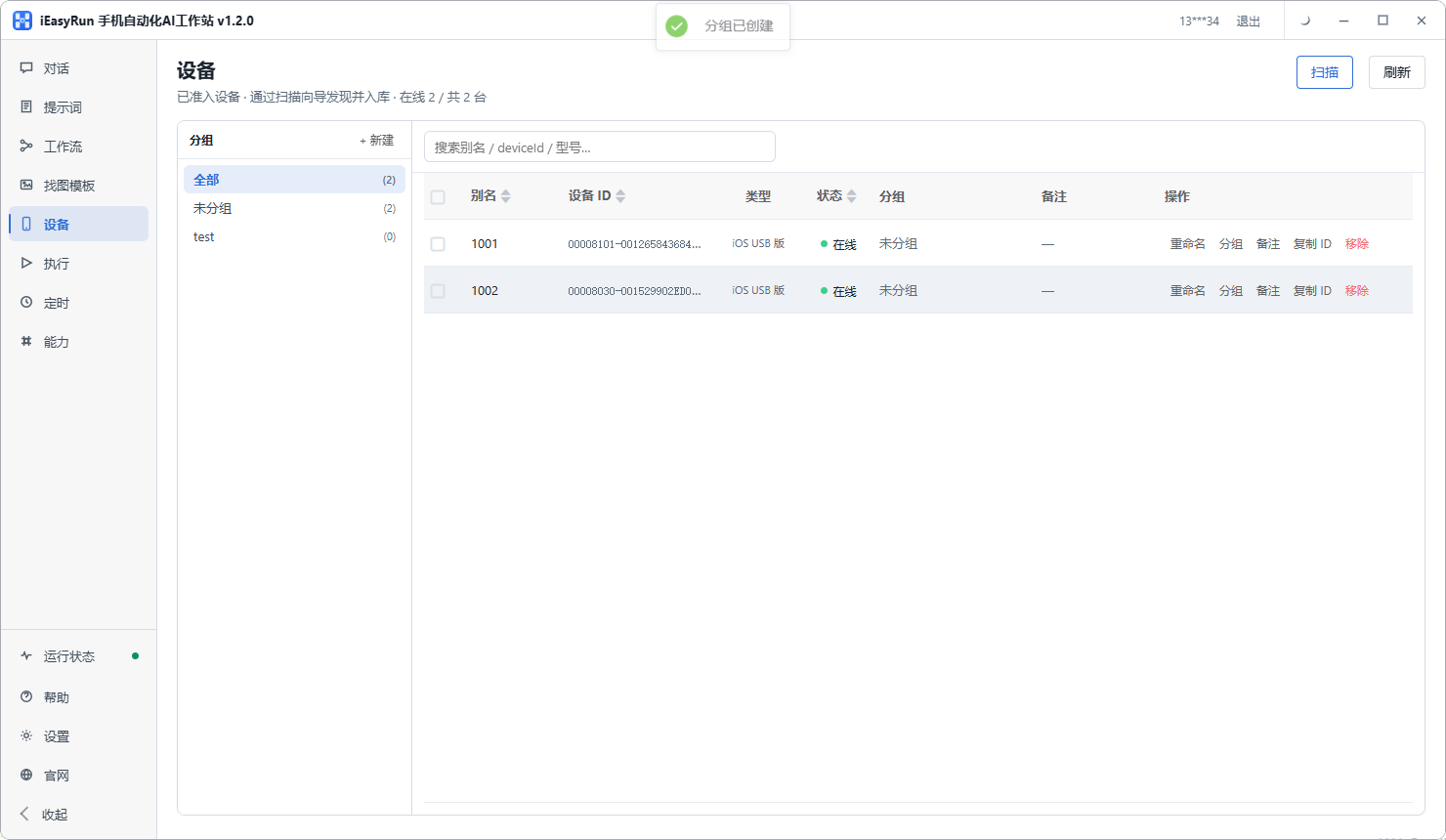
- One account per phone, aliased with the account name, grouped by marketplace or category. At dispatch time, choosing a device means choosing an account, so one decision disappears.
- How do I confirm an item really reached every account?
- From the table, not from memory. Reconcile Execution History after each run and mark both successes and failures back into the table. Fixing the mismatched rows is much faster than opening each account in turn.
Hand over the repeats
Prepare the item once, let each account run its own flow
Software is completely free and runs on your own computer.