
The man who bought cluster control software and never used it
Late last year someone running a cross-border business came to see me. Six months earlier he had bought a cluster control package. It was installed, the phones were connected, and he had run it twice.
I asked where he got stuck. He said it wanted scripts, and he does not write them.
I run into this a few times a year, and it says something about how people choose phone automation software. When shopping for iOS automation software, most compare how many devices connect, how clear the mirroring is, how many systems are supported. Almost nobody asks who will describe the job to it once it is running.
The conclusion first. Apple cluster control and iOS cluster control now have three routes that need no code: record once and let it replay, buy a script somebody already wrote, or use AI phone control and describe the job in one sentence. The three are not substitutes. Each has its place.
The ability to control phone from PC stopped being gated on coding a while ago, and the same is true of most iOS automation software worth considering. What decides things now is which route you pick, and whether the job deserves handing over at all.
The real starting cost of each route
| Record and replay | Buy a script | AI phone control | |
|---|---|---|---|
| What it takes | Being able to use a phone | Finding the right person | Being able to describe the job |
| Time to first run | Same day | Depends on their queue | Same day |
| After an app update | Record again | Pay the author per edit | Usually nothing |
| A different platform | Record from scratch | Buy another one | Describe it differently |
| Suits | Fixed steps | A flow that never changes | Shifting layouts, frequent one-offs |
| Several phones at once | Yes, replayed per device | Yes | Yes, dispatched by group |
Device handling barely differs across the three. What separates them is the task layer: who describes it and who decides what to do when something looks different.
Route one: record once and let it replay
This is the oldest and most direct approach. You perform the action on the phone, the tool stores where you tapped and what you typed, and plays it back later.
It is fast. Several flows can be recorded in an afternoon. It is also brittle, because what gets stored is coordinates and positions, and one app update can scrap the whole thing. It has no judgement either: a pop-up, a slow load or a page that never appeared still gets the same taps.
Its use case is narrow and clear. Few steps, an interface that will not move for six months, and one or two phones. That kind of job is not worth anything more elaborate.
Route two: buy a script somebody already wrote
Many people running iOS cluster control take this route, and it is what plenty of iOS automation software users do in practice. Specialists write scripts, sell them individually, and you import one and run it.
The appeal is skipping the exploration, especially for a flow you already understand and simply do not want to write. The catch is the deliverable. Most per-script sales hand over an executable rather than source, which means when the platform changes you go back to the author and pay again.
Ask three things before paying: what the deliverable is, what an edit costs, and whether you can take it over yourself. Those answers matter more than the price. I have watched someone save a few hundred by buying a locked version and then spend three times that on one platform update.
Route three: describe the job and let AI work the phone
This route only became practical in the last couple of years. You do not describe which button to press first. You describe the outcome, and the AI reads the screen, finds the entry point and decides the next step.
Two things set it apart. It survives interface changes, because it works from the words and buttons on screen rather than fixed coordinates. And it handles one-off jobs. Some work arrives once a month, and writing a script for it is waste. Describe it, let it run, and move on.
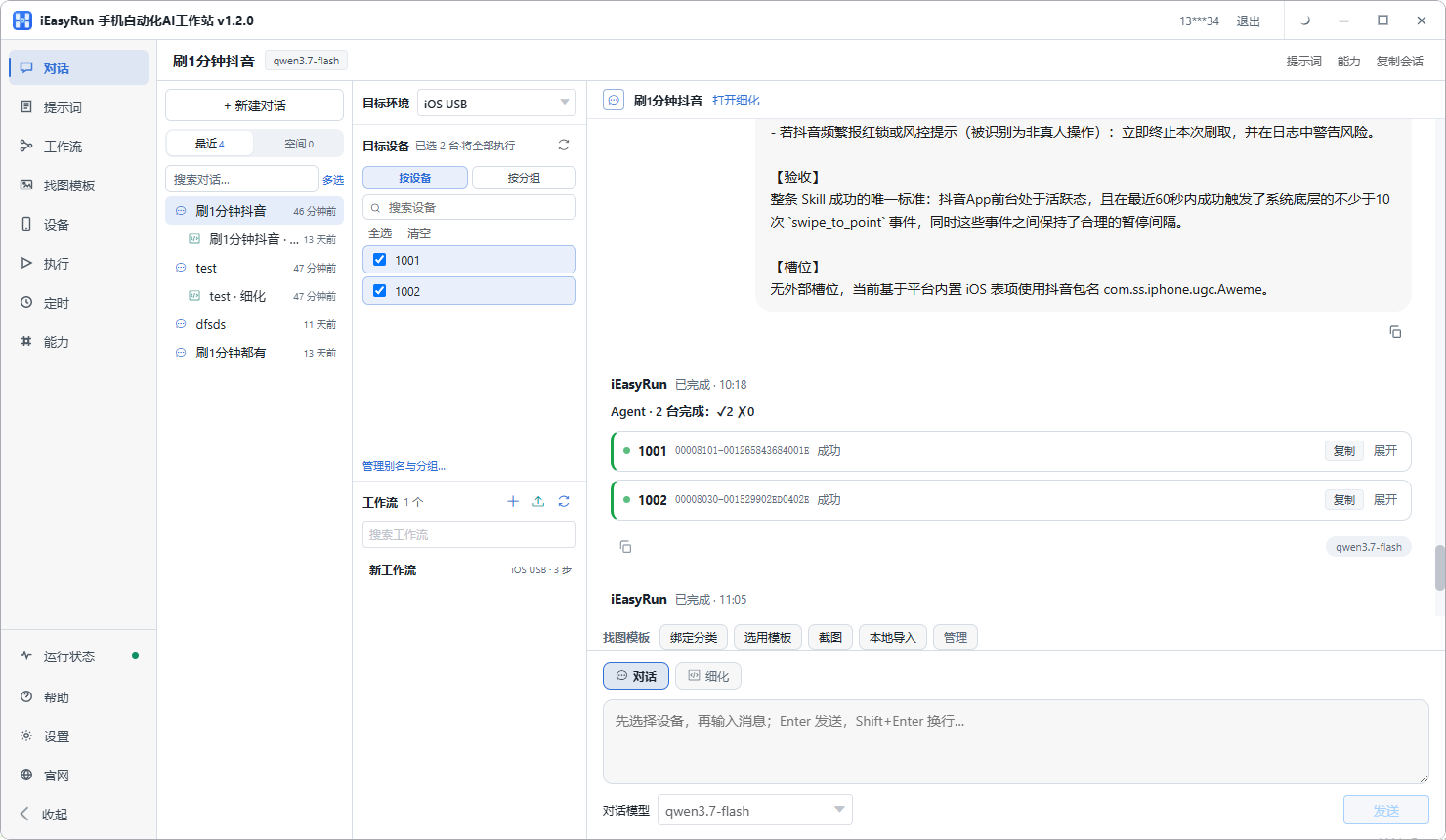
What still deserves a fixed flow is the work you repeat daily with steps that barely change. Build that into a workflow and it runs to a schedule, and repeated runs of a saved workflow do not consume model calls. The model is only used when it has to plan on the spot.
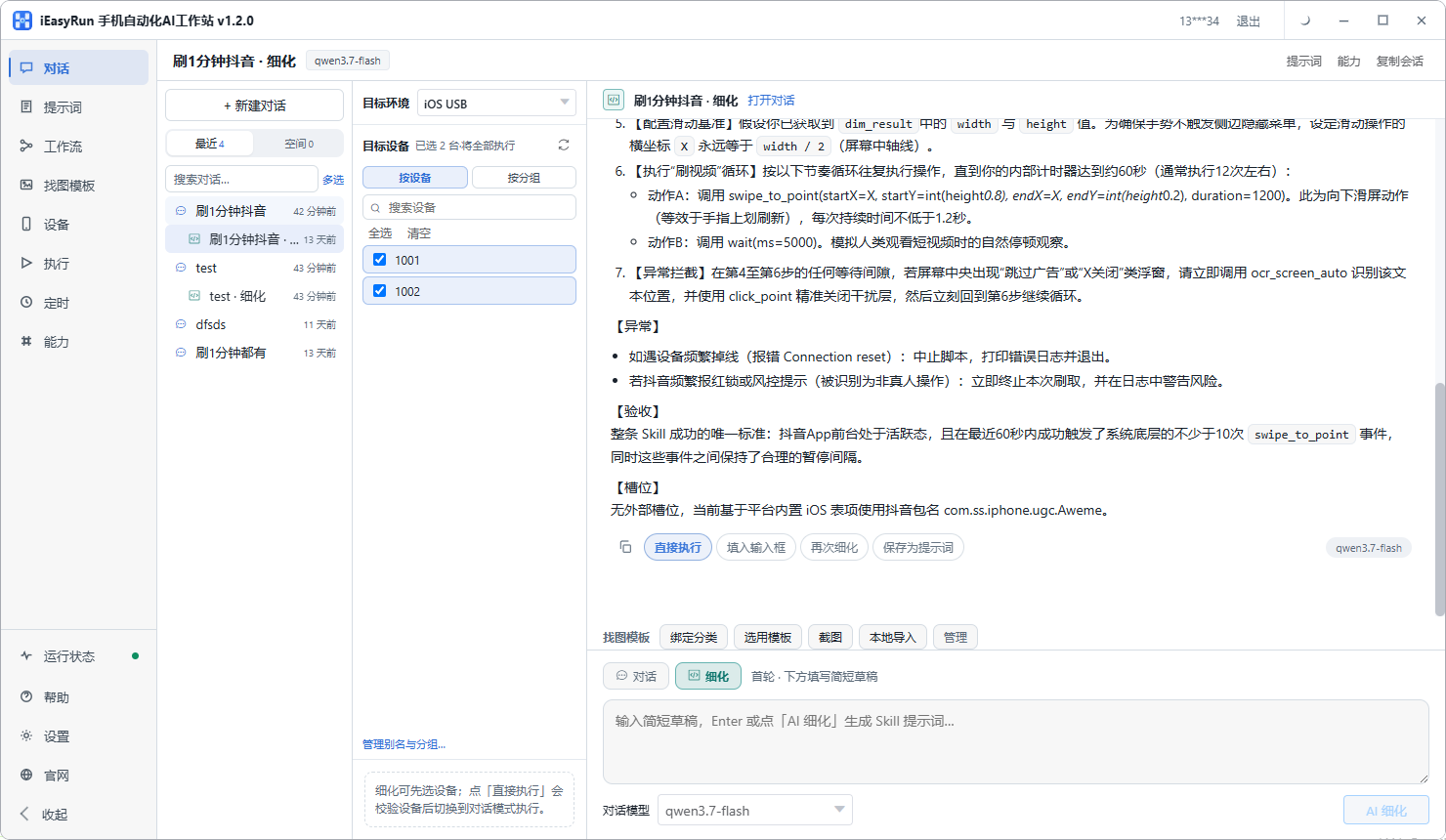
To skip the scripting step entirely, look at iEasyRun, an AI phone control workstation that runs on your own computer, with iPhones joining over a cable and documented routes for Android and HarmonyOS. The options are on the deployment page, and the iOS walkthrough is here.
Where people without code get stuck
The first hurdle is describing the job precisely. People who write scripts naturally break work into steps. People who do not tend to describe it too broadly, saying something like put my products online, which leaves the AI without a store, a category or a price source. Spelling that out is the only homework.
The second is sorting out the device layer first. If the phone is not in the list, has no alias, or shows offline, nothing you say will run. This step takes longer than expected and is worth finishing before discussing tasks.
The third is expanding too fast. Connecting twenty phones on day one ends with a bad first run and giving up on day two. Get one phone running one job, add the second, and along the way you learn which parts are stable.
The three routes stack
You do not have to pick one. Actions that never change run cheapest on a recording or a bought script. Flows whose positions keep moving go to the AI. One-off jobs get described in a conversation. All three coexist on the same set of phones because they cover different tasks.
Taken together, the biggest shift in Apple cluster control has not been on the device layer but on the task layer. Scripting used to be unavoidable, and now there are three ways around it.
As for choosing phone automation software, the test compresses to one line: are devices detected reliably, and can tasks be described the way you already speak. How many rows the feature table has is the least important part.
Which route he ended up on
I told him to leave scripts alone for now. Pick one job he does every day and write it out in plain words, specifying which phone and what counts as done.
He wrote down replying to comments across several accounts. Walking through it, we found three cases he had left out: what to answer when someone asks for a price, what to do when someone is rude, and the fact that a stock question requires looking something up. Adding those three made the thing complete.
Today the comment replies run on the AI every day, while his product listings still use a script somebody else wrote, because that flow has not changed in six months. Two different ways to control phone from PC, each covering half the work, neither sitting idle.
Frequently asked questions
- Can I still do this if I cannot write code at all?
- Yes, and there are three routes. Record an action once and let it replay, which suits fixed steps. Buy a script somebody already wrote, which suits a flow that will not change. Or use AI phone control and describe the job in plain words. None of the three needs code.
- What separates record-and-replay from AI?
- What happens after the interface changes. A recording stores where you tapped, so an app update breaks every position and you record again. The AI reads what the screen says and what buttons exist before deciding where to tap, so an entry point that moved is still found. For apps that update often, that saves a lot of upkeep.
- Can a script I bought be edited?
- Usually not. Ask what the deliverable is before paying: source code, an editable project, or a file that only runs. Only source code lets you fix things yourself when the platform changes. Without it you go back to the author and pay per edit.
- Do Apple cluster control and AI phone control replace each other?
- No, they handle different layers. Cluster control handles devices: connecting several iPhones to a computer, mirroring them, grouping them, dispatching in batch. AI handles the task: what the job actually is and which step comes first. The two layers work well together, and either can be used on its own.
- Does operating an iPhone with AI need a jailbreak?
- No. Over a cable, you install one program on the phone and accept the developer trust prompt, with no jailbreak and no reflashing. Over wireless, the phone and the computer just need to be on the same Wi-Fi network.
- Do several iPhones running at once interfere with each other?
- No. Each device runs its own session and tasks do not cross. Once devices are in the list with aliases and groups, a task can go to a whole group or to just a few of them.
- Does re-running a saved flow keep costing money?
- No. Once something is saved as a workflow, repeated runs do not consume model calls. The model is used when it has to work out the plan on the spot. So fixed actions belong in a workflow, and one-off jobs belong in a conversation.
- Is this worth it for fewer than three iPhones?
- It depends how often the job runs. Something done dozens of times a day is worth it on three phones. Something done once a week can just be described in a conversation and run once, with no flow to maintain. At small scale, getting the feel of it matters more than anything.
Not writing scripts?
Describe the job once and let AI operate the iPhone
The software is completely free and runs on your own computer. No code, and no buying someone else's script.